Build with AnalogAI
The cognitive engine for autonomous agents. Give your AI persistent memory, reasoning, and procedural learning without writing any custom integration code.
Step 1: Configure Your Models
AnalogAI acts as a powerful middleware proxy. To get started, you just need to specify your preferred LLM provider and models in the AnalogAI dashboard.
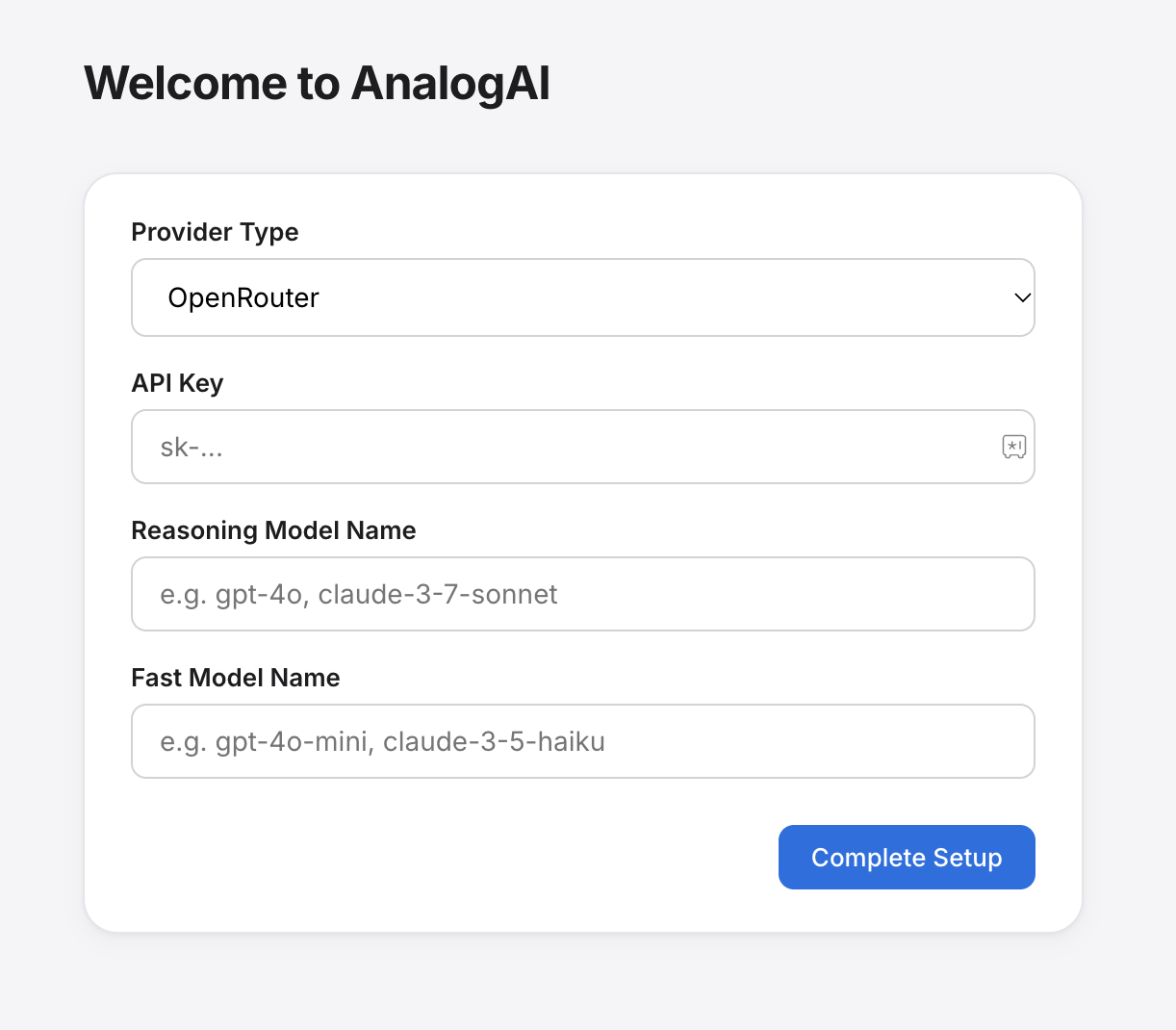
- Provider Type: Select your LLM provider (e.g., OpenRouter, OpenAI, Anthropic).
- API Key: Provide the API key for your selected provider.
- Reasoning Model Name: Specify a powerful model for complex cognitive tasks (e.g.,
claude-3-7-sonnet,gpt-4o). - Fast Model Name: Specify a faster, cheaper model for quick routing and memory retrieval (e.g.,
claude-3-5-haiku,gpt-4o-mini).
Step 2: Get Your AnalogAI Credentials
Once you complete the setup, AnalogAI will generate a custom OpenAI-compatible endpoint for your agent.
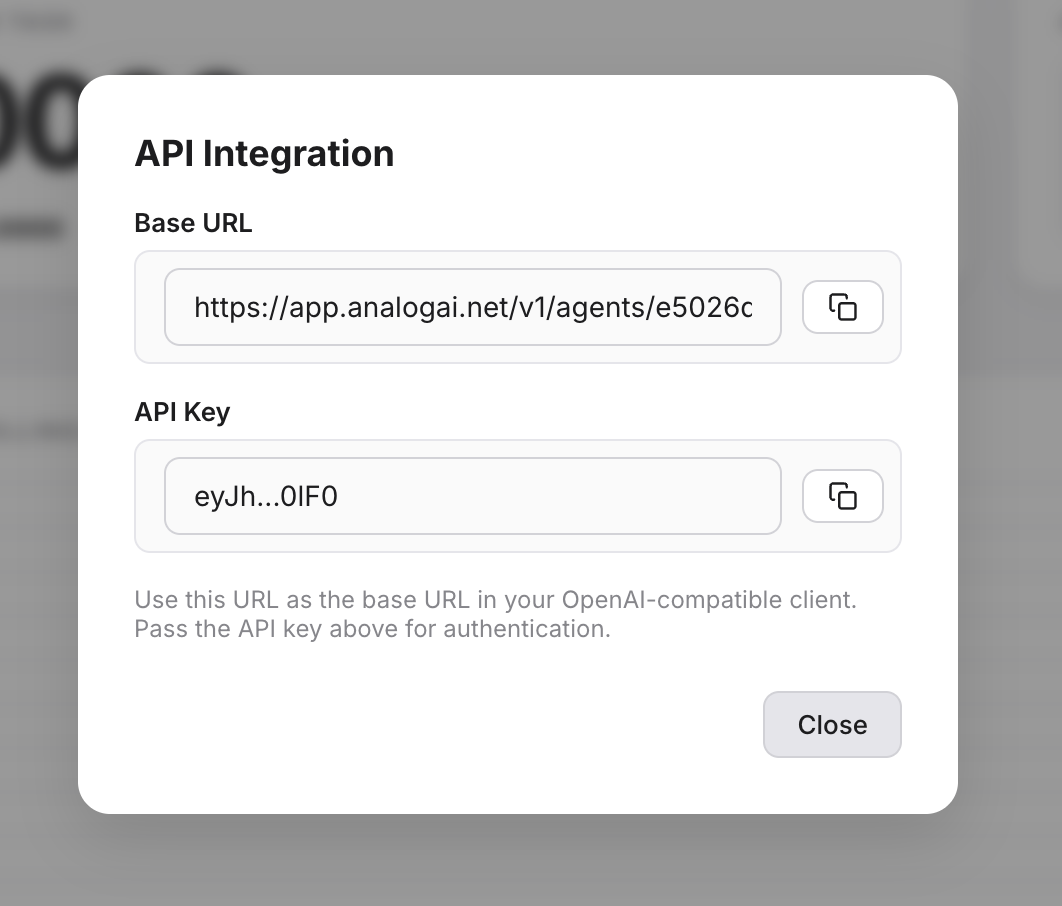
You will receive two important pieces of information:
Base URL
https://app.analogai.net/v1/agents/<your_agent_id>/chat/completions
API Key
eyJh...EbRY
Step 3: Integrate with any harnesses and agentic frameworks
Because AnalogAI provides a standard OpenAI-compatible Chat Completions API, no custom SDK or code changes are required. You can use it instantly with any agentic framework.
Universal Integration
Simply take the Base URL and API Key from Step 2 and pass them into your framework of choice (CrewAI, LangChain, Hermes, OpenClaw, Codex, etc.) exactly as you would with OpenAI.
# Example: Setting environment variables for your framework
export OPENAI_API_BASE="https://app.analogai.net/v1/agents/<your_agent_id>"
export OPENAI_API_KEY="eyJh...EbRY"
That's it! Your agents will now automatically build episodic memory, reason over past interactions, and distill procedural knowledge—all handled server-side by AnalogAI.